Electric piano · Free
Whirly
A reed electric piano, free. Real recordings of two vintage pianos, played through a model of the piano's own preamp, tremolo, power amp and speakers.
Free
Mac · Audio Unit and VST3 instrument and a stand-alone app · Apple Silicon and Intel · macOS 11 or later. No license, trial or activation.
Version 1.0.0 · What’s new
The sound of the lid
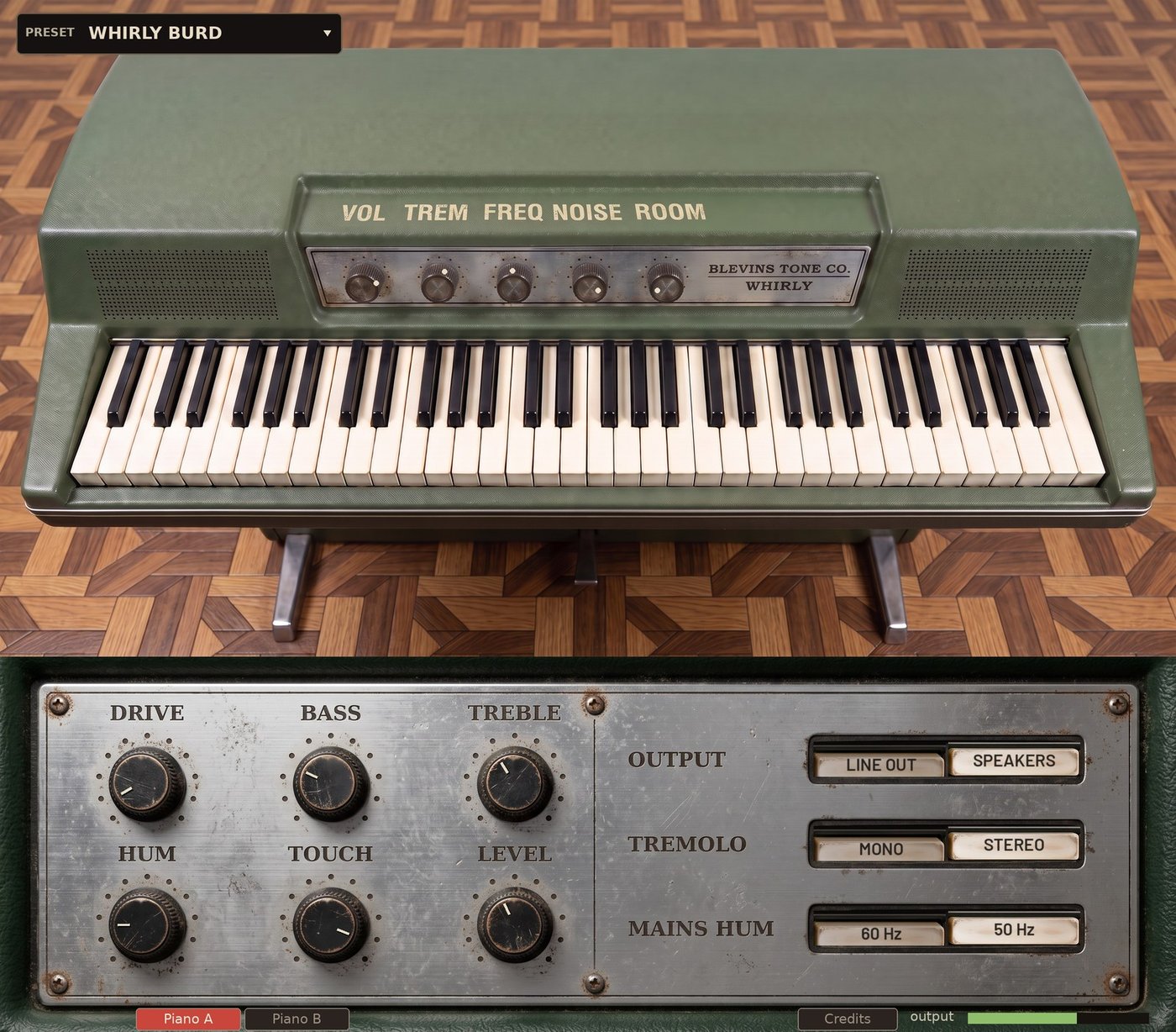
Whirly starts with real recordings of two reed electric pianos, Piano A and Piano B, each played at several strengths. Then the piano's own electronics take over: the preamp and its tremolo, the volume control, the little power amp and the two speakers in the lid. That's where the bark, the bell and the wobble come from.
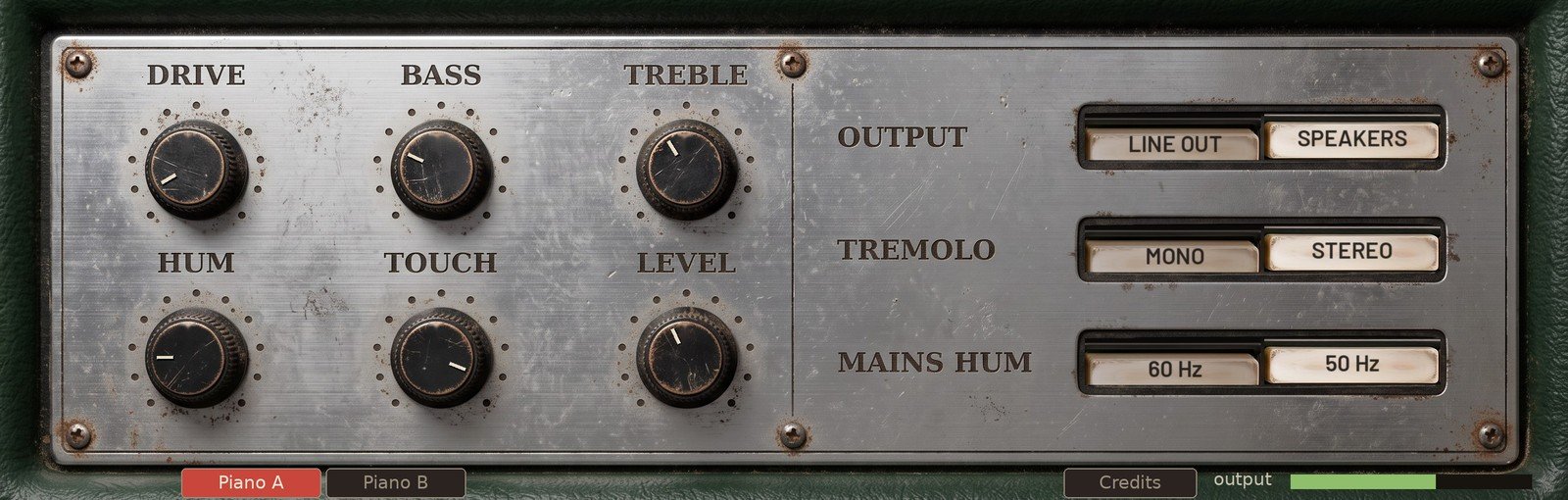
The five knobs above the keys are the piano's own: volume, tremolo intensity and speed, key noise and a room. The control plate below adds drive, bass, treble, hum, touch and level, with switches for line out or speakers, mono or stereo tremolo, and 60 or 50 Hz mains hum.
It's free and stays free. The same installer has every Blevins Tone Co. plug-in, each with a free 14-day trial, if you'd like to try the rest.
What's inside
Two pianos
Piano A and Piano B, two vintage reed pianos, each recorded at several playing strengths.
The piano's electronics
The preamp, tremolo, volume control, power amp and lid speakers are modeled, so it drives and barks like the real one.
Five knobs on the piano
VOL, TREM, FREQ, NOISE and ROOM, right where they sit on the instrument.
Control plate
Drive, bass, treble, hum, touch and level, to set how hard the electronics work and how the keys respond.
Stereo tremolo
Swings the sound side to side while the key noise and hum stay put. Or keep it mono.
Line out or speakers
Hear the piano through its lid speakers, or straight from the line output.
A closer look
Specs
- Formats
- Audio Unit and VST3 instrument, plus the stand-alone Whirly app
- System
- macOS 11 or later, Apple Silicon and Intel
- License
- Free. No license, trial or activation
Get Whirly
Download the Blevins Tone Co. installer and run it. Whirly is included, along with 14-day trials of every Blevins Tone Co. plug-in. Then open Whirly as an instrument in your music app, or open the Whirly app.