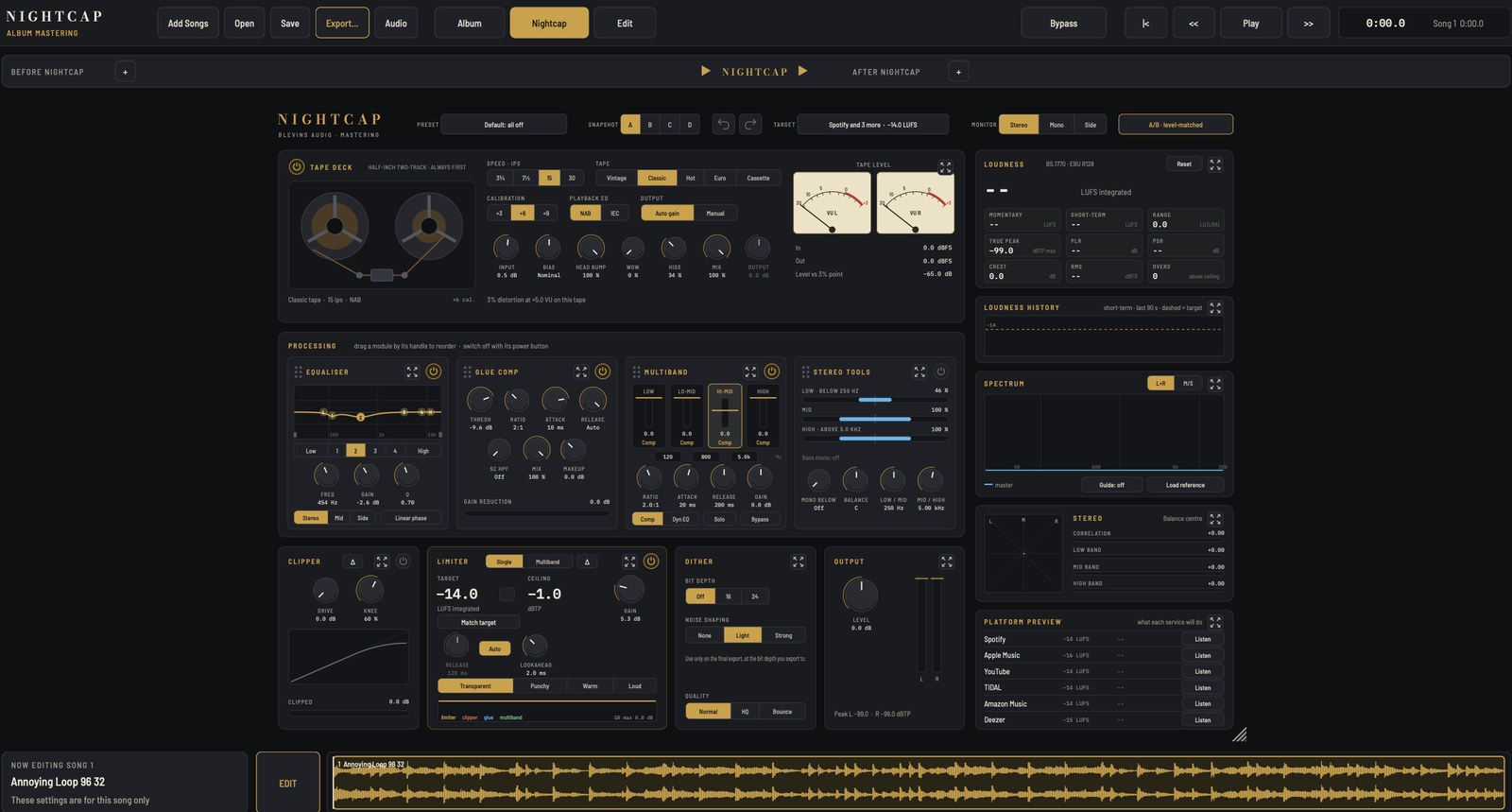
Album mastering app
Nightcap Pro
Master a whole album in one app: every song with its own Nightcap, the gaps and crossfades between them, and the whole record balanced and exported.
$35includes the Nightcap plug-in
Mac app · Apple Silicon and Intel · macOS 11 or later. Comes with the Nightcap plug-in (Audio Unit and VST3) for your recording app.
Hear the album as it will be released
Nightcap Pro puts your whole running order in one window. Every song gets its own Nightcap, with its own settings, and plays straight into the next with the gaps, crossfades and fades you set, so you hear the record exactly as listeners will.
When it sounds right, Analyse and Balance album measure every song and bring each one to your loudness target, with quieter songs left where you want them. Then export finished files for every song, with titles, ISRC codes and a CUE sheet, ready for release.
What's inside
A Nightcap for every song
The full Nightcap on each song, with its own settings. Copy and paste settings between songs whenever you want a shared starting point.
Running order
Drag songs into order, trim starts and ends, set fades and the gap after each song.
Crossfades
Set a gap below zero to overlap two songs, and Play transition to hear one run into the next.
Analyse and Balance
Measures loudness, true peak and range for every song, then brings the album to your target in one click.
Waveform editor
Cut, paste, fades, gain, markers and normalise, down to single samples. Your mix files are never changed.
Your plug-ins too
Add your own Audio Unit and VST3 plug-ins to any song's chain.
Release-ready export
Finished files for every song with titles and ISRC codes, a CUE sheet, and dither added once, at the end.
Bypass
Press B to hear the mixes as they came in, at their own level, without losing your place.
Album files
Save the whole album, with every song's settings and edit history, and pick up where you left off.
Specs
- Format
- Stand-alone Mac app, plus the Nightcap plug-in (Audio Unit and VST3)
- System
- macOS 11 or later, Apple Silicon and Intel
- Audio files
- WAV, AIFF, FLAC, MP3, M4A and more
- Licence
- Up to 3 computers, works offline after activation
Try it free for 7 days
Download the Blevins Tone Co. installer and leave Nightcap ticked. Open Nightcap Pro from your Applications folder and click Activate online.